
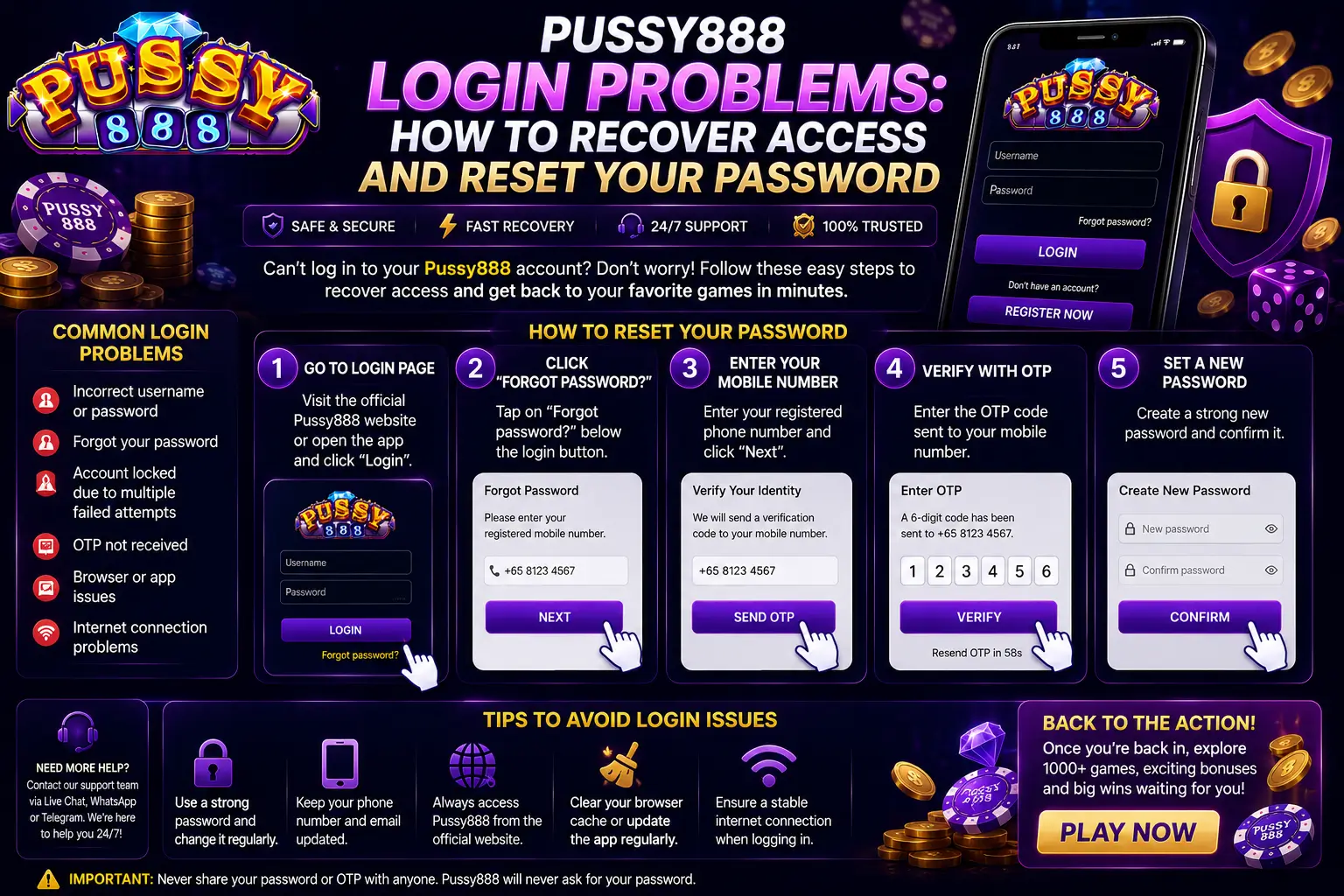
If you cannot log in to Pussy888, do not keep guessing the password or create another account immediately. First identify whether the problem involves the username, password, application, connection, temporary account restriction or the platform partner that issued the account.
This official Pussy888 Singapore guide explains how to:
- Identify the exact Pussy888 login problem;
- Check your username and saved password safely;
- Use the available password-recovery route;
- Recover access when the reset option does not appear;
- Handle an expired or missing verification code;
- Protect the account if someone else may have accessed it;
- Contact the correct official support channel without revealing sensitive information.
The account-recovery process may differ between Pussy888 platform partners. Always begin through the official Pussy888 Singapore website or the verified support channel of the partner that originally issued your account.
Start with the Exact Pussy888 Login Problem
Different login messages require different solutions. Record the complete message before changing the password, deleting the app or clearing its data.
| What Happens | Likely Area to Check | What to Do First |
|---|---|---|
| “Invalid Username” | Username entered incorrectly or wrong account route | Check the original username and issuing platform partner |
| “Incorrect Password” | Typing error, old saved password or changed password | Stop repeated attempts and check the password carefully |
| “Too Many Attempts” | Temporary security restriction | Wait before trying again and use the verified recovery route |
| “Account Locked” | Account-specific restriction or security review | Contact the partner that issued the account |
| No verification code arrives | Registered contact details, signal or code delay | Check the phone, wait briefly and request only one new code |
| Login page is blank | App, connection or service problem | Restart the app and test a stable network |
| App closes before login | Outdated or damaged installation | Check the current version through the App Portal |
| Login succeeds but returns to the login screen | Session, network or another-device conflict | Follow the automatic logout troubleshooting guide |
| Account details have changed | Possible unauthorised access | Stop logging in and contact verified support immediately |
Take a screenshot if an error message appears. The exact wording is more useful than describing the problem only as “cannot login”.
Before Resetting Your Pussy888 Password
A password reset will not solve every access problem. Complete these checks first.
1. Confirm That You Are Using the Correct Username
A Pussy888 username may not be the same as your display name, phone number, email address or the name shown in a payment account.
Use the username that was issued when the account was registered. Check:
- The original registration or welcome message;
- Any account record saved by you;
- Whether the username contains similar characters such as
0andO; - Whether an extra space was added before or after the username;
- Whether the phone keyboard changed a letter automatically;
- Whether you are entering details for a different Pussy888 account or platform.
Do not publish the username in a public comment or send it to an unverified social-media account.
2. Confirm That the Password Is Being Entered Correctly
Before requesting a reset:
- Turn off Caps Lock where applicable;
- Check whether the password contains uppercase letters;
- Remove accidental spaces;
- Use the password-display icon only when nobody else can see the screen;
- Check whether the phone is filling in an old password;
- Type the password manually instead of repeatedly submitting saved credentials;
- Make sure the keyboard is using the expected language and symbols.
If the password still fails, stop trying. Repeated incorrect attempts may cause a temporary restriction and make the original problem more difficult to identify.
3. Confirm the Correct Pussy888 Account Route
Pussy888 accounts may be managed through different listed platform partners. An account issued by one partner may not be recognised on another partner’s login page, even when both provide access to Pussy888.
Use the Official Partners page to return to the platform that issued the account.
Do not submit your username or password on a website found through an unknown advertisement, copied search result, messaging group or social-media reply.
4. Check Whether the App Is Working
If the login fields do not load, buttons do not respond or the application closes before you can submit the details, the password may not be the cause.
Try:
- Close Pussy888 completely.
- Connect to one stable Wi-Fi or mobile-data network.
- Restart the phone.
- Reopen the app.
- Check whether the login page loads normally.
- Confirm that the app is the current supported version.
Use the Pussy888 App Portal for current installation and update information. Do not delete a working installation until you have confirmed the username, recovery route and correct download source.
How to Reset Your Pussy888 Password
Use the following process when the username is recognised but the current password no longer works.
Step 1: Open the Verified Pussy888 Login Route
Begin from the official Pussy888 Singapore website or the verified platform partner that issued the account.
Before entering any details, check that:
- The domain is spelled correctly;
- The connection uses HTTPS;
- The page was not opened through an unknown advertisement;
- The login screen belongs to the expected platform partner;
- No unrelated app, certificate or configuration profile is requested.
If the page cannot be verified, do not continue.
Step 2: Select the Available Password-Recovery Option
Look for an option such as:
- Forgot Password
- Reset Password
- Recover Account
- Need Help Logging In
The exact wording may differ between app versions and platform partners.
If no password-recovery option appears, do not use a reset page provided by an unknown person. Continue to the section below explaining how to recover access through official support.
Step 3: Enter the Requested Account Identifier
The verified recovery page may request the Pussy888 username or another contact detail already connected to the account.
Enter only the information requested on that verified page. Do not submit:
- A banking password;
- A bank PIN;
- An Apple Account or Google Account password;
- A complete payment-card number;
- A one-time code received for another service;
- Details requested through an unrelated form.
Account-recovery information should be used only to confirm ownership of the Pussy888 account.
Step 4: Receive the Verification or Recovery Code
If the platform sends a verification code:
- Keep the code private;
- Enter it only on the same verified recovery page;
- Check that the message relates to the password reset you requested;
- Use the newest code if several codes were requested;
- Do not forward the message or send a screenshot containing the code;
- Do not approve a reset request that you did not start.
A legitimate support representative should not need you to read the complete one-time verification code to them through a call, chat or social-media message.
Step 5: Create a New Password
Choose a password that:
- Is different from the previous Pussy888 password;
- Is not used for email, banking, social media or other gaming accounts;
- Does not contain your username, phone number or date of birth;
- Is long enough to resist simple guessing;
- Is not a common sequence such as
123456,passwordorqwerty; - Can be stored safely in a reputable password manager.
A longer passphrase made from unrelated words is normally easier to remember and harder to guess than a short predictable password.
Singapore’s Cyber Security Agency recommends using a different strong password or passphrase for each account and enabling two-factor authentication where the service provides it. See the CSA password-security guidance.
Step 6: Confirm the Reset and Log In Again
After the password has been changed:
- Return to the verified Pussy888 login page.
- Enter the correct username.
- Enter the new password manually.
- Do not let the phone submit the old saved password.
- Confirm that the account opens normally.
- Update or remove the old password saved in the browser or password manager.
If the new password is accepted but the app immediately signs out again, the reset was probably successful and the remaining problem may involve the session, network or another active device. Follow our guide explaining why Pussy888 logs you out automatically.
What to Do if Pussy888 Has No “Forgot Password” Button
Some Pussy888 account routes may require password recovery to be handled by the platform partner that issued the account.
If no self-service reset option is available:
- Stop trying different passwords.
- Open our Official Partners page.
- Identify the partner that registered or issued the account.
- Use only the verified support channel shown for that partner.
- Explain the exact login message.
- Ask for the account-recovery procedure.
- Complete only the ownership checks provided through the verified route.
- Create a new password after the account has been confirmed.
Do not contact a different platform partner simply because it responds faster. A partner that did not issue the account may not have access to the correct account record.
Official support may ask for information such as:
- The Pussy888 username;
- The registered contact detail;
- The approximate account-registration date;
- The phone model and operating-system version;
- The time the login problem occurred;
- A screenshot of the error message;
- The platform partner that issued the account;
- Other account information needed to confirm ownership.
The exact checks depend on the account and partner. Support should not ask for your complete existing password, banking PIN or unrelated one-time verification code.
How to Recover a Forgotten Pussy888 Username
Resetting the password will not help if the username is incorrect.
First, check:
- The original account-registration message;
- A secure record saved when the account was created;
- Previous verified messages from the issuing partner;
- Whether the username was changed or copied incorrectly;
- Whether you are confusing the username with a display name or phone number.
If the username still cannot be found, contact the verified support channel of the partner that issued the account.
Provide only the information required to identify the account. Do not send several possible passwords or create multiple accounts in an attempt to find the correct username.
What if You Cannot Access the Registered Phone Number?
If the recovery code is sent to a phone number you no longer control, do not ask another person to receive the code and do not try to move the account through an unofficial support contact.
Contact the original platform partner and explain that the registered number is unavailable.
The partner may need to verify ownership before updating any contact information. This is an important security step because changing the registered number could allow another person to take control of the account.
Prepare any non-sensitive information that can help identify the correct account, but do not send identity documents until:
- The support channel has been verified;
- The reason for collecting the document is explained;
- You understand how the information will be handled;
- The request is part of the official recovery process.
Do not post documents, account details or phone numbers in a public chat.
Why the Pussy888 Verification Code May Not Arrive
A missing verification code does not always mean the account is unavailable.
Possible causes include:
- The registered contact detail is incorrect;
- The phone has no signal;
- SMS delivery is delayed;
- The message was filtered as spam;
- The device is in Airplane Mode;
- The recovery request was made several times;
- An older code has already expired;
- The platform is temporarily unable to send the code;
- The account uses a different recovery method.
Try these steps:
- Check that the phone has a stable mobile signal.
- Confirm that Airplane Mode is off.
- Review blocked or filtered messages.
- Wait briefly for the current code.
- Avoid requesting many codes in rapid succession.
- Request one new code only after the earlier request has expired.
- Use the newest code received.
- Contact verified support if the code still does not arrive.
Never use a verification code from an unexpected message. If you did not request a password reset, do not approve it.
“Invalid Password” Does Not Always Mean the Password Was Changed
An invalid-password message may appear because:
- The wrong username was entered;
- An old password was saved automatically;
- Caps Lock is active;
- The keyboard added a space;
- The account belongs to another platform partner;
- The password was recently changed on another device;
- Several incorrect attempts caused a temporary restriction;
- Someone else changed the password.
Try entering the username and password manually once after checking both carefully.
If the same error continues, stop further attempts and use the official recovery route. Repeatedly trying old or guessed passwords can make it harder to distinguish a simple typing error from a restricted account.
What to Do if the Pussy888 Account Is Locked
An account-lock message is different from an incorrect-password message.
A lock or restriction may be related to:
- Too many unsuccessful login attempts;
- Unusual access from a new device or location;
- Several simultaneous sessions;
- A password-reset security review;
- Account information requiring verification;
- An account-specific restriction applied by the issuing platform.
Do not attempt to bypass the restriction by:
- Creating another account;
- Installing a modified Pussy888 app;
- Changing the device date;
- Paying an “unlocking fee”;
- Sending money to a support contact;
- Sharing the password or verification code;
- Using another person’s account.
Save the complete error message and contact the partner that issued the account. Only that verified account channel can confirm the specific reason for the restriction.
How to Tell an Account Problem from an App Problem
A password reset is appropriate only when the account credentials are the likely cause.
Signs of an Account Problem
- The login screen loads normally;
- The username is recognised;
- The password is rejected;
- The account displays a lock or restriction message;
- The same credentials fail on a second supported device;
- A reset request or unfamiliar login was received.
Signs of an App or Connection Problem
- The login screen is blank;
- The app closes before credentials can be entered;
- Buttons do not respond;
- The app displays a server or connection error;
- The same page fails before any username is submitted;
- Other app features also fail to load.
For an app problem, restart the device, use a stable connection and check the current installation route before resetting the password.
Do not repeatedly delete and reinstall Pussy888 for a credential problem. Reinstallation normally does not change an account password and may remove saved account information.
What to Do if Someone Else May Have Accessed the Account
Treat the problem as a possible account-security incident if:
- The password changed without your permission;
- You received a reset code you did not request;
- The account was opened on an unknown device;
- Account details changed unexpectedly;
- You were logged out while actively using the app;
- A support account asked for the password or verification code;
- You entered the credentials on a suspicious website.
Take these steps:
- Stop using the suspicious page or support channel.
- Use a trusted device.
- Open the verified Pussy888 account route.
- Reset the password immediately if access is still available.
- Use a new password that is not shared with another account.
- Contact the issuing platform partner.
- Ask support to review unfamiliar account access.
- Check whether account or contact details were changed.
- Change the password on any other account that used the same password.
- Scan the device if a suspicious file or application was installed.
Singapore’s Cyber Security Agency advises users who entered a password on a phishing page to change that password immediately and also change it on any other account where it was reused. See the SingCERT phishing-response guidance.
Avoid Fake Pussy888 Password-Reset Pages
Password problems create an opportunity for impersonators to send copied login pages or pretend to be support representatives.
Stop if a page or person:
- Contacts you unexpectedly and claims the account must be reset immediately;
- Sends a shortened or misspelled login link;
- Requests the existing password;
- Asks you to forward a verification code;
- Requests remote control or screen sharing;
- Tells you to install an unknown app;
- Asks for a deposit or fee to unlock the account;
- Requests a banking password or PIN;
- Claims it can bypass account security;
- Uses threats to prevent you from verifying the request.
A logo, HTTPS padlock or fast support response does not prove that a page is official. Check the complete domain and access the route through this website.
Use our Pussy888 platform safety guide if you are unsure about a login page, download link or support account.
Information to Prepare Before Contacting Support
Providing clear information can reduce unnecessary back-and-forth.
Prepare:
- The Pussy888 username;
- The issuing platform partner;
- The exact error message;
- A screenshot with passwords and codes hidden;
- The date and time the problem began;
- Whether the password previously worked;
- Whether the device was recently changed;
- The phone model;
- The Android or iOS version;
- The installed Pussy888 app version;
- Whether the problem happens on Wi-Fi, mobile data or both;
- Whether a password-reset code was requested;
- Whether an unfamiliar login or account change was noticed.
Explain the sequence clearly. For example:
The username is recognised, but the app displays “Incorrect Password”. I stopped after two attempts. The problem began at approximately 3:20 pm after changing phones, and I have not received a reset code.
Do not include the current or previous password in the message.
After Recovering Your Pussy888 Account
Once access has been restored:
- Confirm that the username and account details are correct;
- Remove the old saved password from the device;
- Save the new password securely;
- Do not share the password with another person;
- Review any recent account changes you do not recognise;
- Log out from devices you no longer use where this option is available;
- Ask verified support to review old sessions if necessary;
- Keep the registered contact details current;
- Save the official recovery route;
- Ignore further reset codes that you did not request.
Test the account on one trusted device before switching between several phones.
Frequently Asked Questions
Can I log in with my phone number instead of my Pussy888 username?
Use the identifier shown by the verified login page for the platform that issued your account. Do not assume that a phone number, email address or display name can replace the issued username.
Can Pussy888 support tell me my existing password?
A properly handled password-recovery process should reset access rather than reveal the existing password. Support should not ask you to send the complete password.
Why does my old password still appear automatically?
The browser, phone or password manager may have saved the previous password. Remove or update the saved entry, then enter the new password manually.
Will reinstalling Pussy888 reset the password?
No. Reinstalling the application normally changes the app installation, not the password stored for the account.
Confirm your account details and recovery route before deleting the app.
Can I create a new account if I cannot recover the old one?
Do not create another account simply to bypass a login problem. Contact the original platform partner first. A second account can make ownership and account records more difficult to verify.
Why did I receive a password-reset code that I did not request?
Someone may have entered your account identifier or attempted to start a reset.
Do not share or enter the code. Open the verified account route directly, check the account and change the password if you suspect unauthorised access.
How long should I wait after too many failed attempts?
The restriction period may differ between platform partners and account-security settings. Stop trying passwords and follow the instruction shown on the login screen. If no time is displayed or access does not return, contact verified support.
What if the new password is accepted but Pussy888 logs me out again?
The password reset probably worked. Check the internet connection, other active devices, VPN settings, app version and session status using our automatic logout guide.
Should I give an OTP to Pussy888 support?
Do not disclose a complete one-time verification code through a call, message or public chat. Enter a recovery code only into the verified page for the recovery request you started.
Can support charge a fee to reset or unlock the password?
Do not transfer money to anyone claiming that a deposit, tax, processing payment or account-unlocking fee is required to reset a password. Stop and verify the request through the official route.
Final Answer
If you cannot log in to Pussy888, first record the exact error and determine whether the problem involves the username, password, app, connection or account restriction.
Check the username, enter the password manually once and confirm that you are using the platform partner that originally issued the account. If the password is still rejected, use the recovery option shown on the verified login page. If no reset option is available, contact the issuing partner through our Official Partners page.
Keep every recovery code private, never provide the complete password to support and do not pay anyone to unlock the account. If someone else may have accessed the account, reset the password from a trusted device, change any other account using the same password and report the issue through the verified support channel.
The safest recovery process is the one started from the official Pussy888 Singapore website and completed through the same verified account route—not a link sent by an unknown website, advertisement, social-media account or messaging contact.