
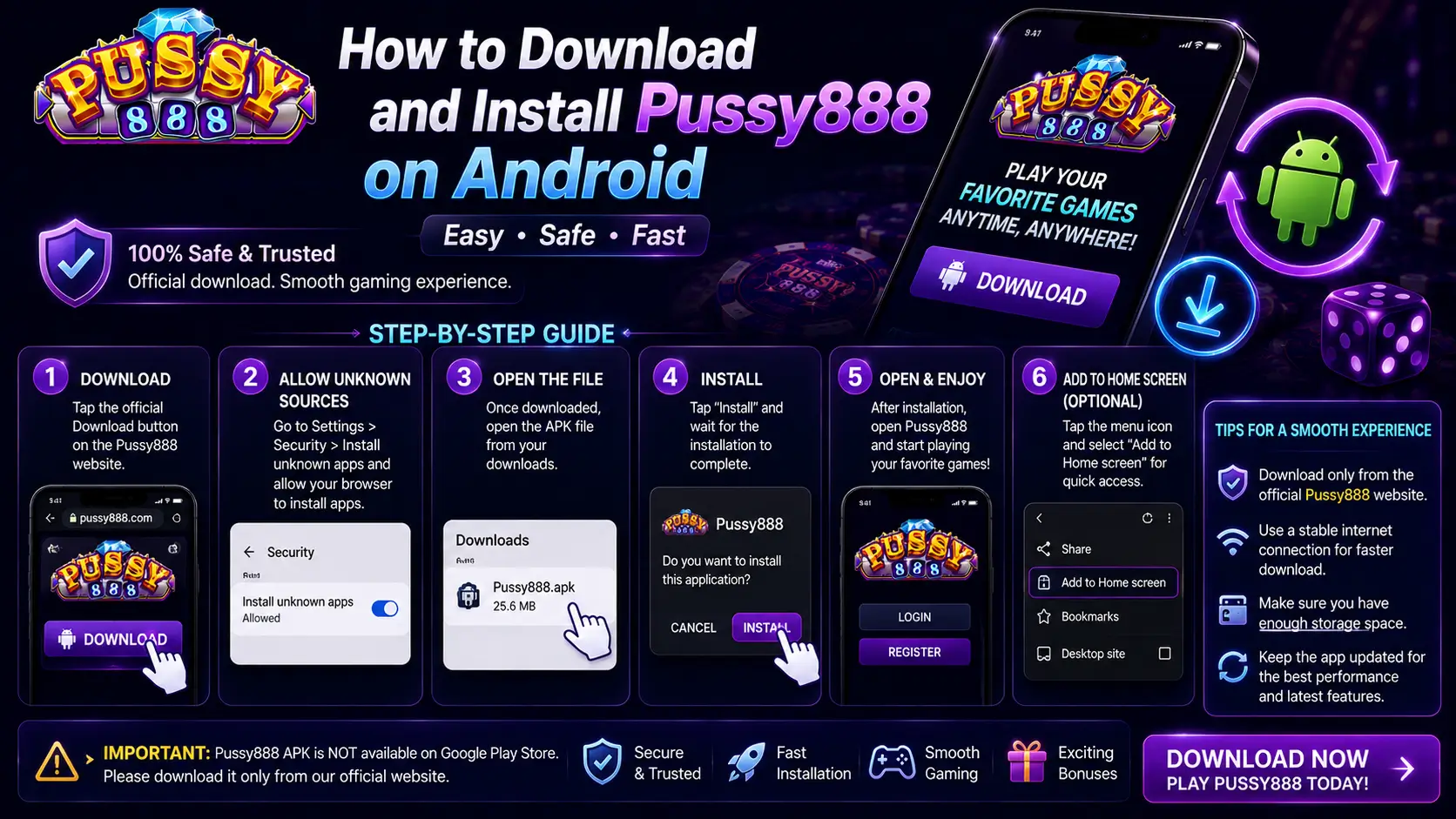
This official Pussy888 Singapore guide explains how to download and install our Android application safely.
Unlike apps distributed through Google Play, the Pussy888 Android version is provided as an APK file through our official access routes. This means the app must be downloaded and installed manually.
The process is normally straightforward, but installation may fail when the APK is incomplete, the device blocks unknown apps, storage is insufficient or the Android version is incompatible.
This guide explains the correct installation order, the checks to complete before opening the file, and the most practical ways to solve common Android installation problems.
Why Pussy888 Uses an APK Download
An APK, or Android Package Kit, is the standard installation-file format used by Android devices. Apps distributed outside Google Play use APK files so users can install them directly.
Manual installation is not automatically unsafe. The important part is where the file comes from. Start from our official Pussy888 App Portal or an account route listed on our Official Partners page, and avoid modified files shared through random websites, social-media posts or file-sharing services.
Compatible Android Devices
The latest Pussy888 Singapore APK should run on most modern Android smartphones, including Samsung, OPPO, vivo, Xiaomi, Huawei, HONOR, realme and Google Pixel devices.
For more stable performance and better security support, Android 9 or newer is recommended. Older devices may still open certain versions, but they are more likely to experience compatibility, login or update problems.
Recommended Device Checklist
Exact minimum requirements can change between Pussy888 releases. Check the current release information in the App Portal before installing; treat the following as practical preparation for a stable installation rather than permanent specifications.
- An Android version supported by the current Pussy888 release
- At least 2 GB of RAM recommended for basic stability
- Free internal storage comfortably above the downloaded APK size
- A stable Wi-Fi or mobile-data connection
- An updated browser or file manager for opening the APK
Before Downloading the Pussy888 APK
Complete these checks before downloading:
- Update Android to the latest version available for your device.
- Confirm that sufficient storage space is available.
- Use a stable internet connection to prevent an incomplete download.
- Remove any unofficial or modified version already installed.
- Confirm that the download page uses HTTPS.
These basic checks prevent most parsing errors and installation failures before they happen.
How to Verify a Safe Pussy888 APK
- Begin with the official Pussy888 App Portal or an access route listed on our Official Partners page.
- Check that the page uses HTTPS and that the domain has not been misspelled or imitated.
- Avoid modified, cracked or “unlimited credit” APK files.
- Keep Google Play Protect or another reputable mobile-security service enabled.
- Install the latest available version rather than an old file from an archive.
Modified APK files cannot legitimately alter server-side game outcomes. They can, however, steal login details, display unwanted advertisements or compromise the device.
If a domain, download prompt or permission request looks unusual, stop and compare it with our official Pussy888 safety checklist before opening the file.
Step 1: Download the Pussy888 APK
Use our official Pussy888 App Portal to obtain the newest APK or follow the download instructions inside the verified account route of an official platform partner listed by us. Do not open the file until the download has fully completed.
Before proceeding, confirm that:
- The website address is correct and uses HTTPS encryption.
- The file is described as the latest Android version.
- The download did not stop, restart or produce a zero-byte file.
- The source does not advertise hacked credits, guaranteed wins or modified game outcomes.
Where Is the APK File Saved After Download?
After downloading the Pussy888 APK, many Android users are unsure where the installation file has been saved. In most cases, the APK is automatically stored in your device's Downloads folder.
Depending on your phone brand, you can usually find it by opening the built-in file manager and navigating to one of these locations:
- Internal Storage → Downloads
- Files → Downloads
- My Files → Downloads (Samsung)
- File Manager → Download History
If you still cannot find the APK, open the browser you used to download it and check the download history. Most browsers allow you to reopen completed downloads directly from the notification or download list.
Avoid downloading the same APK multiple times unless the original file is damaged or incomplete, as duplicate files can make it difficult to identify the correct version during installation.
Step 2: Enable Installation from Unknown Sources
Android normally blocks apps installed outside Google Play. The permission is usually granted to the browser or file-manager app used to open the APK.
- Open the downloaded APK file.
- When Android displays a security notice, tap Settings.
- Enable Allow from this source or Install unknown apps.
- Return to the installer.
The wording and menu location may differ on Samsung, Xiaomi, OPPO, vivo, Huawei and other Android devices. After installation, you may disable this permission again.
Step 3: Install the APK
- Open the completed APK download.
- Tap Install.
- Wait until Android confirms that installation is complete.
- Tap Open, or launch the app from the home screen.
The first launch can take slightly longer because Android is preparing the app's local files and permissions.
App Permissions After Installation
When you launch Pussy888 for the first time, Android may ask you to grant several permissions. These requests can vary depending on your Android version and device manufacturer.
Common permissions include:
- Storage access for downloading future updates.
- Notification permission for platform announcements.
- Network access for connecting securely to the game servers.
Always review the permissions before approving them. A normal gaming application should only request permissions that are necessary for its operation.
If the APK requests unrelated permissions, such as access to your contacts, phone calls or messages without a clear reason, stop the installation and confirm that the file was obtained through our official App Portal or a listed official partner. Using the latest official version helps reduce unnecessary security risks.
Step 4: Log In to Your Account
Open the application and enter the username and password issued through the official platform partner where your account was registered. Check the spelling carefully before submitting.
- Use a stable internet connection.
- Confirm that the username belongs to the correct official partner account.
- Avoid repeated password attempts if you are unsure of the credentials.
- Use the verified support channel shown by that official partner when account details need to be reset.
For repeated session problems, see why Pussy888 may log you out automatically.
How to Update the Pussy888 APK
When a newer version is released, return to our official App Portal for the latest APK and install it over the existing application. In most cases, the login details and local settings remain unchanged.
Do not uninstall the current version unless the update fails or our official Pussy888 support team specifically instructs you to do so. Uninstalling first may remove local settings or saved login information.
Best Practices After Installing Pussy888
Installing the application successfully is only the first step. Following a few simple habits can help improve stability, security and overall performance over time.
For the best experience:
- Keep the application updated whenever a newer version becomes available.
- Download updates only through our official App Portal or the verified account route of a listed official partner.
- Avoid installing modified, cracked or unofficial APK files.
- Restart the application after major Android system updates.
- Keep enough free storage space to allow future updates to install smoothly.
- Enable Google Play Protect or another reputable mobile security service to help detect potentially harmful applications.
These practices reduce the likelihood of installation errors, compatibility problems and unexpected application crashes. They also help ensure that you are always using the latest version with the newest security improvements and platform updates.
Common Installation Problems and Fixes
APK Parsing Error
This usually means the download is incomplete, corrupted or incompatible with the Android version. Delete the file, restart the browser and download a fresh copy through our official App Portal.
Installation Blocked
Open Android settings and confirm that the browser or file manager has permission to install unknown apps. If the permission is already enabled, restart the phone and try again.
“App Not Installed” Message
Free additional storage space, remove conflicting unofficial versions and confirm that the APK supports your Android version. A previously installed package with a different signature can also block the new installation.
App Will Not Open
Restart the phone, update Android, clear the app cache and confirm that the newest APK is installed. Reinstall only after checking that the downloaded file is complete.
Login Problems After Installation
Confirm the username, password, internet connection and official partner account used for registration. If the app opens correctly but the account cannot log in, the problem is probably account-related rather than an installation fault.
For a deeper diagnosis, match the exact Android message to our guide on why the Pussy888 APK cannot be installed.
Frequently Asked Questions
Can I install Pussy888 without Google Play?
Yes. The Android version is commonly installed manually using an APK file.
Is enabling “Install unknown apps” safe?
The setting is acceptable only when the APK was obtained through our official App Portal or a listed official partner. Grant permission only to the browser or file manager used for the installation, then disable it again afterward if preferred.
Why will the APK not install?
The most common reasons are an incomplete file, insufficient storage, an unsupported Android version, blocked installation permission or a conflicting version already installed.
Will updating remove my account?
Installing a newer APK over the current version normally keeps the account and app data. Avoid uninstalling first unless troubleshooting requires it.
How long does installation take?
With a stable connection, downloading and installing usually takes only a few minutes. Older phones or slow networks may require longer.
Final Thoughts
Installing Pussy888 on Android is generally simple when the steps are completed in the correct order: begin at our official App Portal, finish the download, allow installation for the correct app and install the newest compatible APK.
Most failures are caused by incomplete downloads, blocked permissions, low storage or incompatible Android versions. Checking those four areas resolves the majority of installation problems.
For more practical setup and troubleshooting information, browse the Pussy888 setup manual or return to the main Pussy888 Singapore guide.